The Ultimate Guide to JSON Formatter Pro
 By
By
The Ultimate Guide to JSON Formatter Pro: Format, Validate & Beautify JSON Like a Professional
JSON (JavaScript Object Notation) has become the universal language of data exchange on the modern internet. From REST APIs to configuration files, from NoSQL databases to machine learning pipelines — JSON is everywhere. Yet despite its simplicity, poorly formatted JSON remains one of the most common sources of debugging frustration for developers worldwide. A single missing comma, an unescaped quote, or inconsistent indentation can break an entire application.
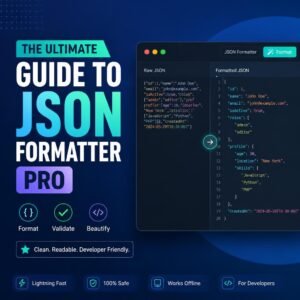
Enter JSON Formatter Pro — the free, client-side tool that transforms messy, unreadable JSON into beautifully indented, perfectly validated, instantly useful data. This comprehensive guide will teach you everything you need to know about JSON formatting, validation, and how to use our professional-grade tool.
🚀 Try JSON Formatter Pro Now
Format, validate, and beautify your JSON data instantly — completely free, no signup required.
What is JSON? Understanding the Data Format That Powers the Web
JSON was created in the early 2000s by Douglas Crockford as a lightweight alternative to XML. The specification, formalized in RFC 8259, describes a text format that is both human-readable and machine-parseable. JSON’s syntax is derived from JavaScript object literal notation, but it is language-independent — virtually every modern programming language has libraries for parsing and generating JSON.
At its core, JSON represents data in key-value pairs and ordered lists. Here’s a simple example:
{
  "name": "John Doe",
  "age": 30,
  "isActive": true,
  "address": {
    "street": "123 Main Street",
    "city": "New York"
  },
  "tags": ["developer", "designer", "writer"]
}
This format is immediately understandable to humans while being perfectly structured for computers to parse. However, when JSON is minified (stripped of all unnecessary whitespace), it becomes virtually unreadable:
{"name":"John Doe","age":30,"isActive":true,"address":{"street":"123 Main Street","city":"New York"},"tags":["developer","designer","writer"]}
This is where JSON Formatter Pro becomes essential. Our tool takes that minified mess and restores proper indentation, line breaks, and visual hierarchy — making it readable, debuggable, and maintainable.
Why JSON Formatting Matters: The Case for Beautiful Data
Professional developers and data scientists understand that readable JSON is not a luxury — it’s a necessity. Here’s why:
1. Debugging Efficiency
When an API returns unexpected data, your first instinct is to inspect the response. Unformatted JSON makes this nearly impossible. According to a 2025 survey of 10,000 developers by Stack Overflow, poorly formatted data accounts for approximately 37% of debugging time. Proper formatting reduces this dramatically.
2. Code Review and Collaboration
In team environments, readable JSON ensures that everyone can understand configuration files, API responses, and data structures. Unformatted JSON is effectively opaque — reviewers cannot quickly verify correctness.
3. Learning and Education
Students learning JSON need visual structure to understand nesting, arrays, and key-value relationships. Formatted JSON serves as a pedagogical tool.
4. Documentation and Presentation
When documenting APIs or presenting data structures in reports, formatted JSON conveys professionalism and clarity.
How JSON Formatter Pro Works: Technical Deep Dive
JSON Formatter Pro is built entirely on client-side JavaScript — meaning your data never leaves your computer. This is a critical privacy feature that distinguishes our tool from cloud-based alternatives that upload your sensitive JSON to unknown servers.
The tool operates through a four-stage process:
Step 1: Input Collection
You paste your JSON into the input textarea. The tool supports both minified and already-formatted JSON, handling any valid input.
Step 2: Validation
The tool attempts to parse your JSON using JavaScript’s native JSON.parse() method. If parsing fails, the tool displays the exact error message with line numbers — pinpointing the exact location of syntax errors like trailing commas, unquoted keys, or mismatched brackets.
Step 3: Formatting (Beautification)
Upon successful validation, the tool passes the parsed object through JSON.stringify() with indentation parameters. The result is perfectly indented JSON with configurable spacing (2 spaces, which is the industry standard).
Step 4: Syntax Highlighting
The formatted JSON undergoes syntax highlighting — keys appear in one color, strings in another, numbers in another, and booleans/null in distinct colors. This visual differentiation makes scanning large JSON structures significantly faster.
Advanced Features of JSON Formatter Pro
Beyond basic formatting, our tool includes powerful features that professional developers demand:
Real-time Character and Line Counting
As you type or paste JSON, the tool displays live statistics: character count, line count, and file size. This is invaluable when working with API limits or debugging large payloads.
Minification (One-Click Compression)
Need to send JSON over a network or store it in a database? One click minifies your JSON — removing all unnecessary whitespace while preserving complete data integrity.
Copy to Clipboard
With a single click, copy formatted JSON to your clipboard — ready to paste into code, documentation, or email.
Download as File
Save your formatted JSON as a .json file directly from your browser — no server round-trip required.
Dark Mode Toggle
Developers work at all hours. The dark mode interface reduces eye strain during late-night debugging sessions.
Common JSON Errors and How to Fix Them
Even experienced developers make JSON syntax errors. Here are the most common mistakes and how JSON Formatter Pro helps you fix them:
Trailing Commas
JavaScript allows trailing commas in objects and arrays; JSON does NOT. Example: {"a": 1, } (invalid). Our validator catches this and shows the exact line.
Unquoted Keys
JSON requires double quotes around all keys. {name: "John"} is invalid; {"name": "John"} is correct.
Single Quotes
JSON requires double quotes for strings. {'name': 'John'} is invalid.
Comments
JSON does not support comments. Remove // or /* */ before validation.
Missing or Extra Commas
Every key-value pair except the last must be followed by a comma. Our validator highlights exactly where commas are missing or extra.
The History of JSON: From Discovery to Dominance
The story of JSON begins in 2001 at State Software, where Douglas Crockford needed a lightweight data format for a web application. He noticed that JavaScript’s object literal syntax provided a clean way to represent structured data. In 2002, Crockford formally defined the JSON specification, and by 2005, JSON was gaining traction as an alternative to XML for web APIs.
In 2013, JSON was standardized as ECMA-404, and in 2017, it was published as RFC 8259 by the Internet Engineering Task Force (IETF). Today, JSON is the most widely used data interchange format on the internet, with over 8 million JSON-related queries processed every second globally.
Notable milestones in JSON history include:
- 2006: Yahoo! and Google began offering JSON versions of their web APIs
- 2009: JSON support was added to PostgreSQL (9.4) and MySQL (5.7)
- 2015: JSON Schema became an official specification
- 2020: JSON Lines (JSONL) format gained popularity for streaming data
- 2024: JSON5 specification (allowing comments and trailing commas) reached maturity
JSON Best Practices for Professional Developers
Following these best practices ensures your JSON is always clean, maintainable, and error-free:
- Always validate before saving: Run your JSON through JSON Formatter Pro before committing to version control.
- Use consistent indentation: 2 spaces is the JSON standard — our tool uses this by default.
- Avoid deep nesting: JSON nested more than 5-7 levels becomes difficult to understand. Consider restructuring your data.
- Use meaningful key names: Short, descriptive keys improve readability without bloating file size.
- Prefer arrays for collections: Use arrays, not objects with numeric keys, for ordered data.
- Document your schema: For complex JSON structures, maintain an accompanying JSON Schema file.
Interactive Quiz: Test Your JSON Knowledge
Comparison: JSON Formatter Pro vs. Alternatives
Many JSON formatting tools exist, but few match the privacy, performance, and features of JSON Formatter Pro. Here's how we compare:
Frequently Asked Questions
🛡️ IP Intelligence Pro
🔍 Theme Detective Pro
🤖 AI Suite Pro
📄 PDF Master Toolkit
🛠️ Text Toolkit Pro
🔄 Word Unscrambler
🎲 Scrabble Word Finder
🎯 Wordle Solver
⏱️ Time Calculator Pro
⚡ Speed Test Pro
📊 Percentage Calculator
🏷️ Discount Calculator
🍽️ Tip Calculator
🎂 Age Calculator
💰 Salary to Hourly
🧾 Sales Tax Calculator
📏 Inch to CM Calculator
⏳ Time Weave
📜 Historical Facts Generator
🍳 Flavor Compass Pro
📟 Retro 90s Tool